Quick Answer:
The best free academic tools for students combine grade tracking, organization, writing assistance, and focused study into one streamlined workflow. Essential starting points include a dedicated CGPA calculator for grade tracking, Notion or Obsidian for organization, Zotero for citation management, and a focus app like Forest or Cold Turkey to protect study time. The right combination eliminates administrative busywork and keeps your effort pointed at actual learning.
Key Takeaways
- A curated set of five to seven free tools is more effective than downloading every productivity app you encounter.
- Grade tracking tools that process data locally (in your browser) are safe to use — no account required, no data harvested.
- Reference managers like Zotero can save two to three hours per research paper by automating citation formatting entirely.
- Note-taking apps like Notion and Obsidian replace paper binders with a searchable, permanent digital knowledge base.
- Free focus tools that block distracting websites during study sessions directly improve GPA by protecting deep work time.
- Free AI study assistants can help you understand concepts, generate practice questions, and review essay drafts.
Building the Right Academic Toolkit
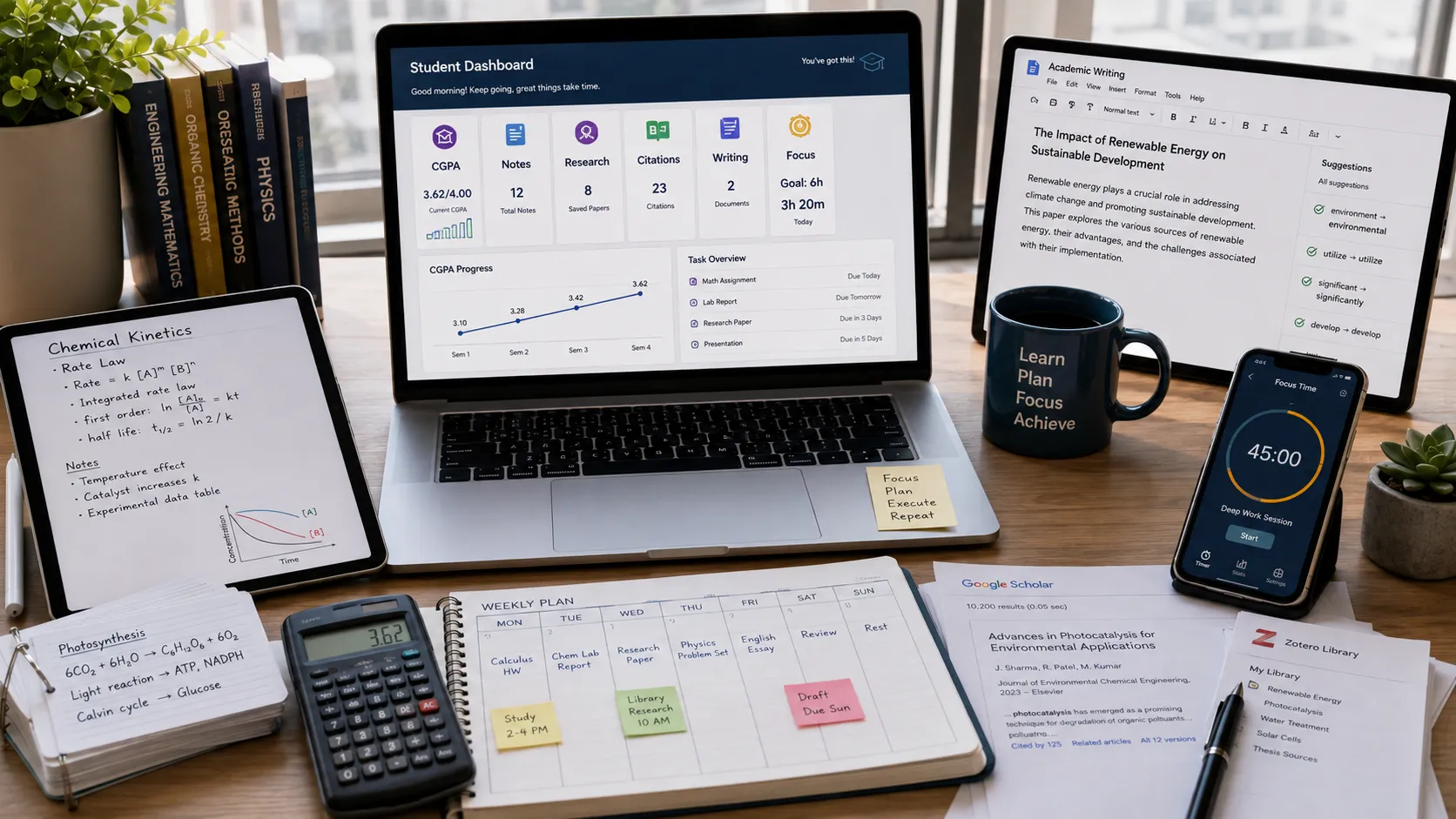
The instinct when discovering productivity tools is to download every highly rated app and try to use them all. This approach fails reliably. The result is a fragmented workflow with too many tabs, too many systems, and too much cognitive load from switching between platforms.
The better approach is to identify your biggest specific weaknesses — grade tracking, organization, citation formatting, focus — and solve each one with the single best free tool available. Start with one. Build the habit. Then add the next.
This guide walks through the best free tools available in 2026, organized by function, so you can build a focused stack that addresses the areas where you lose the most time. For free course content from top universities, MIT OpenCourseWare remains one of the most authoritative open learning resources available to any student, worldwide and at zero cost.
Category 1: Grade Tracking and GPA Calculation
EduGPA CGPA Calculator
Before any external tool, know your academic standing. Our free CGPA Calculator is specifically designed for students who need to aggregate multiple semesters of variable credit hours into a single accurate cumulative GPA.
What makes it useful for tracking:
- Input your previous semesters (SGPA + credit hours) and get your cumulative total instantly
- Model future scenarios: "If I earn a 3.8 this semester, what will my CGPA be?"
- Runs entirely in your browser — no account required, no grade data stored or transmitted
- Works for both 4.0 and 10-point CGPA scales
For international students uncertain about how their percentage scores convert to the GPA scale used by international universities, our Percentage to GPA Converter provides an accurate bracket-based estimate rather than a misleading direct division.
Google Sheets: Your Per-Course Grade Dashboard
For tracking individual assignments within each course, a simple Google Sheets template is highly effective. Set up one tab per course with:
- Assignment name
- Maximum points
- Points earned
- Weight in final grade
- Running weighted average (formula auto-calculated)
Share it to your phone so you can update grades immediately when they are posted — not at the end of the week when you've forgotten the details. Free, private, and fully customizable.
Category 2: Note-Taking and Organization
Notion
Notion is the most versatile free organizational tool available for students. It combines notes, databases, calendars, and task tracking in one platform. Notion offers a free Personal plan, and the full Personal Pro plan is available free for any student who signs up with a `.edu` email address.
What students use Notion for:
- Class notes: Structured Cornell-style note templates with headers, bullet points, and callout boxes
- Assignment tracker: Kanban board showing all assignments by status (Not Started → In Progress → Submitted)
- Semester calendar: Database view of every deadline across all courses, with filters by course and urgency
- Resource library: Links, PDFs, and notes from research organized by topic
Notion's search function means you can find any note from any course in seconds — far faster than hunting through binders or separate document folders.
Obsidian
For thesis writers and graduate students doing intensive research, Obsidian is an excellent alternative. It creates a "knowledge graph" — a visual map showing how your notes link to each other. When you are writing a long research paper and need to trace connections between concepts you noted weeks apart, Obsidian's linked note structure makes this immediately visible.
Obsidian is completely free and runs entirely offline, meaning your notes are stored only on your own device. There are no subscription fees, no cloud storage terms, and no data privacy concerns. The free plugin ecosystem is extensive — you can add spaced repetition, academic citation handling, and LaTeX math rendering without paying anything.
Anki (Spaced Repetition Flashcards)
Anki is the most research-validated study tool in this list. It uses a spaced repetition algorithm to schedule your review of each flashcard at the exact moment your brain is about to forget the information — reinforcing memories efficiently and preventing the cramming cycle.
Medical, law, and pharmacy students use Anki extensively because it works at scale. You can build decks for individual courses, download shared community decks for common subjects (like anatomy or pharmacology), and sync between desktop and mobile. The desktop app is completely free; the mobile app charges a one-time fee on iOS (Android is free).
Category 3: Research and Citation Management
Zotero
Zotero is the most important free tool in this list for any student who writes research papers. It is an open-source reference manager that integrates directly with your browser and your word processor.
How it works:
1. Install the Zotero desktop app and the browser extension
2. When you find a journal article, book, or webpage relevant to your research, click the extension button
3. Zotero automatically saves the reference with all metadata (author, title, date, journal, DOI)
4. In Microsoft Word or Google Docs, insert citations directly from your Zotero library with a single click
5. Zotero automatically generates your full bibliography in APA, MLA, Chicago, Harvard, or any other style
The difference in experience: formatting a 20-source bibliography manually in APA style takes two to three hours. Zotero does it in under a minute. For a student writing four or five research papers per semester, this is twelve to fifteen hours saved — every semester.
Zotero's basic free plan includes 300MB of cloud storage for PDFs. Most students find this sufficient for undergraduate work.
Google Scholar
For finding peer-reviewed academic sources, Google Scholar remains the best free starting point. It indexes academic papers, theses, books, and conference papers across every discipline. Key features:
- "Cited by" links: See every paper that has cited the source you're reading — useful for finding newer research on the same topic
- Save to library: Build a collection of relevant papers within Scholar
- Alert feature: Set up email alerts for new papers on a specific topic or by a specific author
- Direct Zotero integration: Zotero's browser extension saves sources directly from Scholar with one click
Most students do not realize that Google Scholar often links to free full-text PDFs of papers that would otherwise cost $30+ to access through a publisher. Always check the linked PDF icon on the right side of each result before assuming you cannot access the full paper.
Category 4: Writing Assistance
Grammarly (Free Tier)
The free version of Grammarly catches the most important class of writing errors: grammar mistakes, incorrect punctuation, run-on sentences, and clear typos. Installing it as a browser extension means it works across Google Docs, Canvas (your learning management system), email, and discussion posts automatically.
For academic writing, the premium features (tone detection, advanced style suggestions, plagiarism checker) are less critical than simply submitting error-free text. The free tier handles that reliably.
QuillBot Paraphraser (Free Tier)
The free tier of QuillBot helps rephrase sentences when you know what you want to say but cannot find the right words. It is particularly useful for international students who think clearly in their native language but occasionally produce phrasing that reads awkwardly in English. Use it as a rewriting assistant to improve clarity — not as a replacement for thinking.
Hemingway Editor (Free Web App)
Hemingway Editor analyzes your writing for readability. It highlights sentences that are too long, passive voice usage, overly complex words, and adverb overuse. The result is writing that is clearer and more direct. Paste any essay draft into the free web version at hemingwayapp.com and improve your text before submission.
Category 5: Focus and Time Management
Cold Turkey (Desktop)
Cold Turkey is a website blocker for Windows and Mac that locks you out of specified distracting sites for a set time period. Unlike browser extensions that can be disabled, Cold Turkey integrates at the system level — you cannot bypass it by simply switching browsers. The free version covers unlimited website blocking for unlimited time periods.
During a dedicated study block of 90 minutes, Cold Turkey prevents the automatic drift to social media that costs most students more study time than any other single factor.
Forest (Mobile App)
Forest is a gamified focus app. You set a timer (25–120 minutes) and plant a virtual tree. If you leave the app to use your phone during the timer, the tree dies. If you complete the session, the tree grows and joins your virtual forest. Over time, you accumulate a visual forest representing your total focused study time.
Forest's visual accountability creates a psychological consequence for distraction that is disproportionately effective relative to its simplicity. The basic version is free; a paid tier lets you grow real trees through the app's charity partnership.
Pomofocus.io (Browser-Based Timer)
Pomofocus is a clean, free, browser-based implementation of the Pomodoro Technique: 25 minutes of focused work, 5-minute break, repeat. Every four cycles, take a longer 15-to-30-minute break.
No download, no account, no ads. Open the tab, set your task name, and start the timer. Effective for students who need external structure to stay on task during solo study sessions.
Building a Complete Free Academic Tech Stack
Here is how a well-organized student might combine these tools in a typical week:
| Task | Tool Used |
|---|---|
| Track CGPA and model semester target | EduGPA CGPA Calculator |
| Monitor per-course grade averages | Google Sheets |
| Organize class notes and deadlines | Notion |
| Review challenging concepts for exams | Anki |
| Save and cite research sources | Zotero |
| Find academic papers | Google Scholar |
| Catch grammar errors before submission | Grammarly |
| Block social media during study blocks | Cold Turkey |
| Structure focused study sessions | Pomofocus.io |
You do not need every tool on this list. Start with the ones that address your most acute weakness and build from there.
Frequently Asked Questions (FAQ)
Are paid academic tools worth the cost?
For the vast majority of undergraduate students, the free tools in this list provide everything they need. Paid upgrades worth considering: Notion AI (for first-draft generation support), Grammarly Premium (for advanced academic tone and style), and the iOS version of Anki. Everything else is optional.
Is it safe to input my grades into online calculators?
Always check whether a calculator processes data locally (in your browser) or sends it to a server. Our CGPA and Percentage converters are fully client-side — no grades or personal data are transmitted or stored anywhere.
How do I avoid using too many tools and losing track?
Pick one tool per category and commit to it for a full semester before evaluating alternatives. Switching tools frequently wastes more time than any productivity gain the new tool offers.
Do I need a `.edu` email address for student discounts?
Several tools — including Notion Personal Pro and GitHub Student Developer Pack — require a verified `.edu` email for free premium access. If your institution does not provide one, many universities offer email forwarding addresses through their alumni systems.
conclusion
The most powerful academic tech stack is not the largest one — it is the most consistent one. A grade tracking tool you check every week beats a sophisticated spreadsheet you open twice per semester. A note-taking app you use for every lecture beats an elaborate system you spent three hours setting up and never maintained.
Start with the tools that solve your most pressing academic problem today. Track your CGPA accurately with our CGPA Calculator. Automate your citations with Zotero. Protect your study time with Cold Turkey or Forest. Build the habits before you expand the stack.
For a broader strategy on how to integrate these tools into a complete performance improvement system, read our guide on Mastering Your GPA: Academic Tracking Strategies.