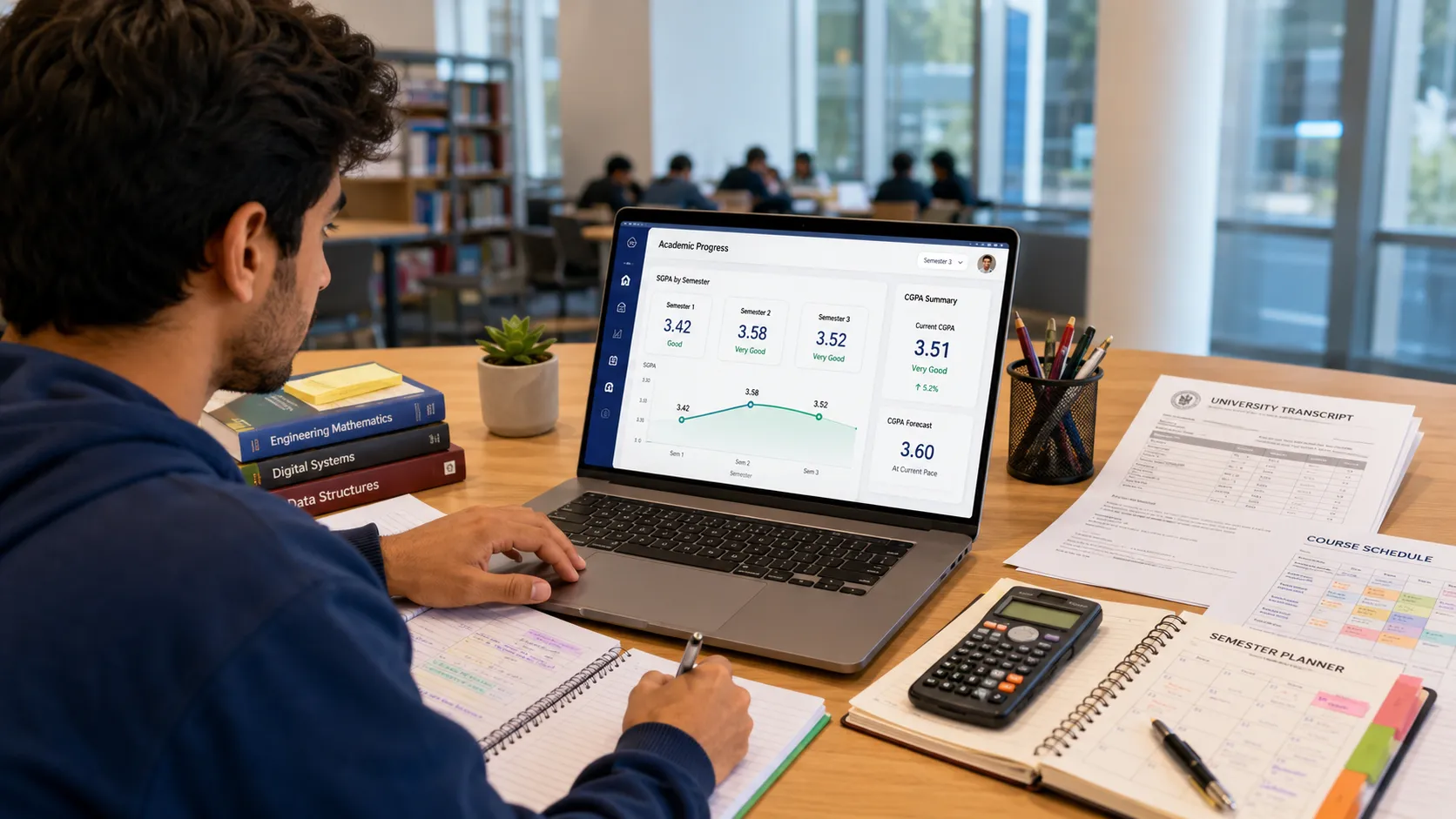
Quick Answer:
To track your SGPA, calculate the grade points earned in each course (grade points × credit hours) for a single semester, then divide the total quality points by the total credit hours. Logging this number consistently every term lets you forecast your final CGPA, spot performance drops early, and make data-driven academic decisions before it's too late to change course.
Key Takeaways
- Your SGPA is a short-term performance metric — it only reflects the courses you completed in one specific term.
- Tracking SGPA gives you a real-time early warning system for your overall academic health.
- You can use your SGPA history to mathematically forecast what SGPA you need in future semesters to hit your target CGPA.
- A drop of more than 0.3 SGPA points in a single semester is a signal that your study approach needs immediate adjustment.
- Never average your SGPAs together to find your CGPA — that method ignores credit hour weighting and produces inaccurate results.
Why Tracking Your SGPA Changes Everything
Most students fixate on their final CGPA because it is the number that appears on their resume and degree certificate. But the CGPA is a lagging indicator — it summarizes what has already happened. By the time a low CGPA becomes visible, fixing it is often painfully slow and mathematically difficult.
Your SGPA, by contrast, is a leading indicator. It tells you how you are performing right now, in this semester, with these courses. Students who track their SGPA every term tend to graduate with consistently higher overall CGPAs because they can see problems emerging in real time and course-correct before the damage compounds. The College Board similarly highlights proactive GPA monitoring as one of the most important habits for students planning graduate or professional school applications.
Think of it like checking your fuel gauge instead of waiting for the car to stop. Tracking SGPA is a habit. It takes less than ten minutes per term to calculate. And it gives you the precise mathematical data you need to graduate with the academic record you planned for.
Step 1: Understanding the SGPA Formula
Before you can track your SGPA, you need to know how to calculate it accurately.
The Core Formula
SGPA = Total Quality Points for the Semester ÷ Total Credit Hours for the Semester
Where: Quality Points = Grade Points × Credit Hours
Grade Point Reference Table
| Letter Grade | GPA Points (4.0 Scale) |
|---|---|
| A | 4.0 |
| A- | 3.7 |
| B+ | 3.3 |
| B | 3.0 |
| B- | 2.7 |
| C+ | 2.3 |
| C | 2.0 |
| D | 1.0 |
| F | 0.0 |
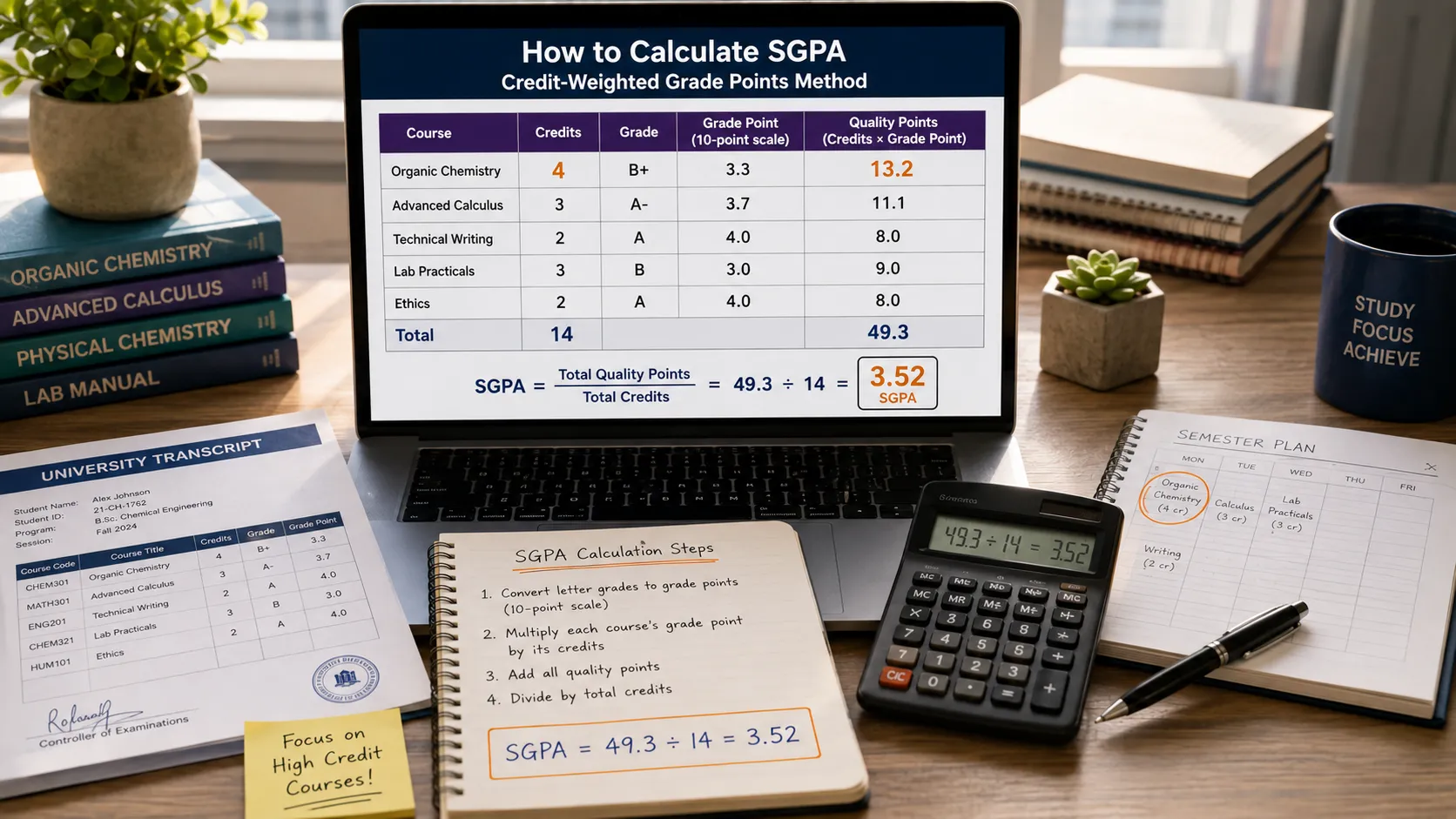
Worked Example: Semester 3
| Course | Credits | Grade | Grade Points | Quality Points |
|---|---|---|---|---|
| Organic Chemistry | 4 | B+ | 3.3 | 13.2 |
| Advanced Calculus | 3 | A- | 3.7 | 11.1 |
| Technical Writing | 2 | A | 4.0 | 8.0 |
| Lab Practicals | 3 | B | 3.0 | 9.0 |
| Elective: Ethics | 2 | A | 4.0 | 8.0 |
| Total | 14 | — | — | 49.3 |
SGPA = 49.3 ÷ 14 = 3.52
This is an accurate, credit-weighted SGPA. If you simply averaged the grade points (3.3 + 3.7 + 4.0 + 3.0 + 4.0 ÷ 5 = 3.6), you would get the wrong answer because it ignores that some courses carry more credit weight than others.
Step 2: Building a Tracking System That Works
Calculating your SGPA once is easy. Tracking it consistently over four or five years requires a system.
Method 1: The Digital Spreadsheet
Create a Google Sheet or Excel file with one tab per semester. In each tab, list your courses, their credit values, your target grade, and your actual grade. Your SGPA formula populates automatically.
On a master summary tab, pull the SGPA from each semester tab. This gives you a visual trend line — you can literally see your academic performance charted over time. You can also add a running CGPA column that updates dynamically as you add new semester data.
Method 2: A Dedicated Calculator Tool
If building spreadsheets sounds tedious, our CGPA Calculator is designed exactly for this purpose. Enter the credit hours and SGPA for each semester and it instantly calculates your accurate cumulative average. No formulas required.
Method 3: The Physical Notebook Log
Some students prefer a low-tech approach. Keep a dedicated academic journal. At the end of each semester, record your SGPA, the number of credits taken, and a brief note about what was difficult. Over time, this journal becomes a valuable retrospective — a record of what circumstances correlated with lower or higher performance.
Step 3: Forecasting Your Final CGPA
This is where SGPA tracking delivers its most powerful benefit: mathematical predictability.
Setting a Target CGPA
Suppose you are at the end of your second year. You have accumulated 60 credit hours, and your current CGPA is 3.1. Your goal is to graduate with a 3.5 CGPA. You have 60 more credit hours to go.
The question is: What SGPA do I need in every remaining semester to hit 3.5?
The Calculation
Formula: Required Quality Points = (Target CGPA × Total Credits) − Current Quality Points
Step 1: Calculate your current quality points.
- Current quality points = 3.1 × 60 = 186 points
Step 2: Calculate total quality points needed at graduation.
- Target quality points = 3.5 × 120 = 420 points
Step 3: Calculate the quality points still needed.
- Still needed = 420 − 186 = 234 points
Step 4: Calculate the average SGPA needed across remaining 60 credits.
- Required SGPA = 234 ÷ 60 = 3.9
This reveals that you need a near-perfect SGPA in every remaining semester to reach your goal. Knowing this early in your third year gives you time to adjust your course load, seek tutoring, or revise your target. Not knowing it means you might coast through your junior year and discover your goal is mathematically impossible in your senior semester.
Step 4: Diagnosing and Responding to SGPA Drops
A single bad semester does not define your academic career. But ignoring it does.
The Warning Threshold
If your SGPA drops more than 0.3 points from one semester to the next, treat it as a red flag requiring immediate diagnosis — not a reflection of your intelligence, but a signal that something structural has changed.
Common Causes of SGPA Drops
1. Increased Academic Difficulty
The study habits that got you through 100-level introductory courses — attending lectures, taking notes, reviewing before exams — often fail completely in 300 and 400-level advanced courses. These higher-level courses require active recall, independent research, and conceptual synthesis, not passive review.
If your SGPA drops as you advance in your degree, this is almost certainly the cause. The solution is upgrading your study methodology. Techniques like spaced repetition, the Feynman Technique, and practice-based problem-solving are far more effective at this level.
2. Credit Overload
Students often take on too many credits in a single semester — sometimes to graduate early, sometimes because the prerequisites aligned. Taking 21 credits instead of 15 does not give you 40% more time to study. It fragments your attention across more courses simultaneously, reducing the depth you can achieve in any single one.
3. External Burnout
Part-time work, family responsibilities, or personal difficulties during a semester will show up directly in your SGPA. Recognizing this as a cause — rather than labeling yourself as academically inadequate — is the first step to addressing it productively.
4. Poor Course Selection
Scheduling three heavily project-based courses in the same semester, or pairing an extremely difficult major requirement with a difficult elective, is a recipe for an SGPA drop. Better advance planning of which courses cluster together can prevent this.
Step 5: Protecting Your SGPA Mid-Semester
Tracking is most valuable when done proactively, not reactively.
The Mid-Semester Check-In
At the midpoint of every semester, before final exams, do a preliminary SGPA calculation using your current grades. If you are tracking your grades in real time through your university portal, you can estimate what your SGPA will be.
This early calculation reveals whether you are on track or at risk. If the mid-semester estimate is 0.4 points below your target, you have time to:
- Attend office hours for struggling subjects
- Schedule tutoring sessions
- Petition to drop a course before the university deadline (if the situation is severe enough)
The Drop Decision
Taking a "W" (Withdrawal) on a course you are failing is almost always better for your SGPA than receiving an "F." Most universities do not count withdrawals in your GPA calculation. A single F (0.0 grade points) in a 3-credit course can drag a semester SGPA from a 3.4 to a 2.5 — a significant, lasting mark on your cumulative record.
Before withdrawing, check your university's policy. Some institutions have a cap on total withdrawals that affect financial aid eligibility.
SGPA vs CGPA: Knowing Which to Report
| Situation | Use SGPA | Use CGPA |
|---|---|---|
| Internship application (co-op program) | ✓ Most recent | — |
| Full-time job application | — | ✓ Final cumulative |
| Graduate school application | — | ✓ Final cumulative |
| Scholarship application | ✓ Sometimes (current year) | ✓ Primary metric |
| Academic probation review | ✓ Current semester | ✓ Cumulative |
| Personal academic goal tracking | ✓ Every semester | ✓ Running total |
Frequently Asked Questions (FAQ)
Is SGPA shown on my official transcript?
It depends on your university. Many institutions show both term GPA and cumulative GPA on official transcripts. Others only show cumulative. Check your university registrar's format. For personal tracking, always calculate your own SGPA regardless.
What is a "good" SGPA?
It depends entirely on your personal and professional goals. If your target CGPA is 3.5, then any SGPA above 3.5 is progress. If you are maintaining academic good standing, you typically need an SGPA above 2.0. For highly competitive placements or graduate programs, aim for SGPA consistently above 3.7.
Should I withdraw from a class to save my SGPA?
If you are mathematically heading for a D or F and there is no feasible path to improvement before the end of the semester, a withdrawal is almost always the better choice. One W on your transcript is far less damaging than one F (0.0) in a 3 or 4-credit course.
Can my SGPA ever be higher than my best semester to date?
Yes. Each new semester is an independent calculation. If you have a stronger set of courses, more effective study habits, or simply a lighter workload, you can always set a new personal best SGPA in any future term.
How do I handle pass/fail courses in my SGPA calculation?
Pass/fail courses are typically excluded from GPA calculations entirely. They satisfy credit hour requirements but contribute no quality points. Most online calculators and university systems handle this automatically when you mark a course as pass/fail.
conclusion
Your SGPA is the most actionable academic metric you have access to. It is the only GPA metric that is fully within your control in real time, every single semester. By calculating it accurately using credit-weighted formulas, building a consistent tracking system, running regular CGPA forecasts, and responding to performance drops immediately, you transform your academic record from something that happens to you into something you actively manage.
If you want to see exactly where your current SGPA stands against your cumulative average and project your graduation CGPA, use our free CGPA Calculator — it handles all the weighting automatically. For guidance on improving a CGPA that has already slipped lower than you wanted, read our guide on Can I Improve My CGPA in the Final Year?.