SRM CGPA Calculator
The most authoritative, professional, and convenient online CGPA calculator for SRM Institute of Science and Technology. Plan your academics with confidence.
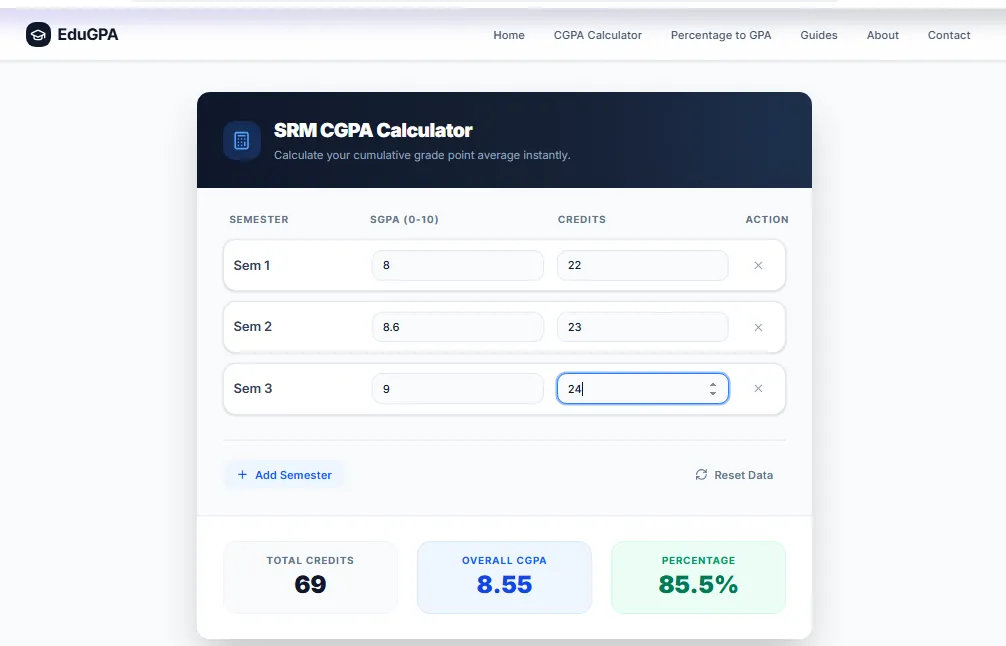
SRM CGPA Calculator
Calculate your cumulative grade point average instantly.
Total Credits
0
Overall CGPA
0.00
Percentage
0.0%
Comprehensive SRM Grade Calculation Guide
Quick Answer: The official SRM CGPA Calculator allows students to accurately aggregate their semester grades using the university's strict 10-point scale. Simply input the exact credits and grade points earned in each semester to instantly calculate your Cumulative Grade Point Average and its percentage equivalent.
Key Takeaways
- SRM University uses a 10-point grading scale where an 'O' (Outstanding) equals 10.0 points.
- To calculate an accurate CGPA, you must weight each semester's SGPA against the specific number of credits taken during that term.
- A CGPA of 7.5 or higher is generally required to clear the automated screening rounds for top-tier campus placements.
- This digital calculator automates the complex weighted average math instantly, ensuring your academic tracking is perfectly accurate.
Understanding the SRM CGPA System
The SRM Institute of Science and Technology (SRMIST) is renowned for its rigorous academic curriculum. Navigating through university life involves a multitude of challenges, from maintaining strict attendance to clearing difficult papers. Amidst this, manually calculating and tracking your Cumulative Grade Point Average (CGPA) should not be another administrative burden.
Whether you are aiming for prestigious placements, securing international internships, seeking higher education admissions abroad, or trying to secure merit-based scholarships, a high CGPA is your golden ticket. Understanding exactly how this number is calculated prevents end-of-semester surprises and allows you to strategically plan your study hours.
How This SRM CGPA Calculator Works
Manual calculation is highly prone to human error, especially when different semesters possess wildly different credit totals. A common mistake students make is simply averaging their SGPAs together. This traditional method ignores the credit weighting and leads to mathematically incorrect results.
Our SRM calculator removes this guesswork. It utilizes the rigorous weighted average algorithm officially mandated by the university.
The Official Formula Used:CGPA = Σ (Semester CGPA × Semester Credits) ÷ Σ Credits
Percentage Conversion:Percentage = CGPA × 10
When you input your data, the calculator multiplies the SGPA of each semester by the respective semester credits to determine your total "Quality Points" for that term. It then aggregates all Quality Points across your entire academic lifecycle and divides it by the total cumulative credits attempted.
Official SRM Grade Points Table
SRM utilizes a standard 10-point grading scale. Use this grading table as a definitive reference while calculating your GPA or CGPA. It is crucial to input the exact grade points to avoid estimation errors.
| Letter Grade | Performance | Grade Point |
|---|---|---|
| O | Outstanding | 10.00 |
| A+ | Excellent | 9.00 |
| A | Very Good | 8.00 |
| B+ | Good | 7.00 |
| B | Above Average | 6.00 |
| C | Average | 5.00 |
| P | Pass | 4.00 |
| F | Fail | 0.00 |
| W / Ab / I | Withdrawal / Absent / Incomplete | 0.00 |
Note: Grades and policies may vary slightly depending on course regulations (e.g., 2015 vs 2018 regulations) or specific academic updates. Always verify with official SRM academic guidelines provided by your department head.
Step-by-Step Example Calculation
To illustrate the power and necessity of a weighted CGPA calculator, consider a student transitioning into their sophomore year. Below is a hypothetical representation of their first three semesters:
- Semester 1: Achieved an 8.40 SGPA across 22 credits.
- Semester 2: Achieved an 8.90 SGPA across 24 credits.
- Semester 3: Achieved an 9.10 SGPA across 21 credits.
A common, fatal mistake students make is simply averaging the three SGPAs: (8.40 + 8.90 + 9.10) / 3 = 8.80.
While this happens to be close, it is mathematically flawed. The correct method calculates total quality points:
Sem 1: 8.40 * 22 = 184.8
Sem 2: 8.90 * 24 = 213.6
Sem 3: 9.10 * 21 = 191.1
Total Quality Points = 589.5
Total Credits = 67
Actual CGPA: 589.5 / 67 = 8.798 (rounded to 8.80)
Our calculator automates this entire rigorous process in real-time. As you type, the underlying algorithm processes the data instantly without requiring page reloads or server queries.
Importance of CGPA at SRM University
Why Students Prefer Online CGPA Calculators
In the fast-paced environment of SRM Institute of Science and Technology, time is of the essence. Manual CGPA calculations are prone to human error—a misplaced decimal or an incorrectly summed credit can provide a false sense of security or undue panic.
Students consistently rely on our SRM CGPA Calculator for several critical milestones:
- Campus Interviews & Placements: Ensuring you meet the stringent 7.0 or 8.0 cutoffs set by Day-1 recruiters (e.g., TCS Digital, Amazon, Microsoft).
- Semester Result Planning: Predictive analysis to determine what exact SGPA is required in the upcoming semester to cross a specific CGPA threshold.
- Applying Abroad: International universities rely heavily on CGPA and standardized percentage conversions. Our tool provides the exact percentage metric demanded by foreign admission portals.
- Scholarship Eligibility: Tracking performance to maintain merit-based financial aid.
Is CGPA Crucial for SRM Placements?
Emphatically, yes. While the modern tech industry increasingly values raw skills, open-source contributions, and practical project portfolios, your CGPA remains the primary gating metric used by almost all massive corporate recruiters during campus placement drives.
During mass recruitment events, companies utilize automated filtering software (Applicant Tracking Systems) to process thousands of resumes. A strong CGPA (typically above 7.5, and often strictly above 8.0 for premium roles) ensures your resume survives the initial automated purge.
The "Super Dream" and "Dream" Offer Categories
SRM categorizes placement offers into tiers. "Super Dream" offers (typically 10 LPA and above from companies like Amazon, Microsoft, and Google) almost universally enforce strict academic cutoffs. To even sit for the initial coding rounds or aptitude tests for these companies, a minimum CGPA of 8.0 with zero history of standing arrears is the standard baseline.
For standard "Dream" offers (5 to 9.9 LPA) or mass recruitment offers (TCS, Wipro, Cognizant), the cutoff usually sits around 7.0 or 60% equivalent. Falling below a 7.0 CGPA mathematically locks you out of a significant percentage of on-campus opportunities, regardless of your coding abilities.
Beyond the Initial Filter
Furthermore, a high CGPA demonstrates consistency, discipline, and a strong work ethic to prospective employers. Interviewers often use academic performance as a proxy for an applicant's ability to learn complex, sometimes tedious information and deliver results consistently over a four-year period.
Strategies for Maintaining a High SRM CGPA
Understanding how your CGPA is calculated is only half the battle; actively managing it requires strategy. The most effective approach leverages the mathematical weight of the credit system:
- Prioritize High-Credit Courses: Core engineering subjects and intensive lab courses often carry 3 or 4 credits. Earning an 'O' or 'A+' in a 4-credit course has four times the positive impact on your CGPA as doing well in a 1-credit seminar. Allocate your study time proportionally to credit weight.
- Protect Your First Year: The first two semesters often feature foundational courses that are less complex than third-year core subjects. Securing a 9.0+ CGPA in your first year creates a mathematical buffer. Because CGPA is cumulative, a high early score is very difficult to drag down later, just as a low early score is mathematically difficult to pull up.
- Clear Arrears Immediately: A failing grade (F = 0 points) devastates a semester's SGPA. If you fail a subject, prioritize clearing it in the very next supplementary exam cycle. The new passing grade will replace the zero in your cumulative calculation, instantly repairing the damage to your overall CGPA.
Frequently Asked Questions
1. What is the difference between SGPA and CGPA at SRM?
SGPA (Semester Grade Point Average) indicates your academic performance specifically for a single, isolated semester. CGPA (Cumulative Grade Point Average) is the holistic, weighted average of all your SGPAs accumulated from the first semester to your current standing.
2. How is SGPA calculated?
SGPA is calculated by multiplying the specific credit weight of each individual course by the grade points earned in that course, summing all these values together, and dividing by the total credits attempted during that specific semester.
3. Is this calculator's result official?
This tool provides highly accurate mathematical estimates based exclusively on the data you enter. However, final official academic records and transcripts are issued solely by the SRM University administration. Always refer to the official SRM portal for certified documentation.
4. What is considered a "Good" CGPA at SRM for placements?
While expectations vary wildly depending on the hiring company, a CGPA of 7.5 and above is generally considered safe. Many top-tier 'Super Dream' status companies set a hard minimum cutoff ranging from 7.0 to 8.0, and almost all require zero standing arrears (backlogs).
5. Can I improve my CGPA after failing a subject?
Yes. Once you successfully clear a failed subject (initially an 'F' grade) in a subsequent supplementary or reappearance examination, the newly acquired grade replaces the 0.00 grade point in your overall CGPA calculation. However, the initial "F" might still be permanently recorded on your original semester grade sheet.
Conclusion
If you are searching for a reliable, privacy-first SRM CGPA Calculator, this tool is designed to eliminate academic anxiety. It empowers you to calculate your cumulative CGPA and equivalent percentage instantly with zero hassle. It's lightning-fast, impeccably accurate, fully mobile-friendly, and built explicitly for students demanding quick, actionable result evaluation.
Bookmark this page and use the calculator regularly at the end of each semester to track your ongoing progress and stay ahead in your academic journey!